Description
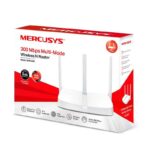
Mercusys MW306R 300Mbps Multi-Mode Wireless N Router Price In Bangladesh
The Mercusys MW306R 300Mbps Multi-Mode Wireless N Router is now available in Bangladesh. Shop with confidence on Rapizona — 100% original products, competitive pricing, and reliable customer service delivered straight to your door across Bangladesh.
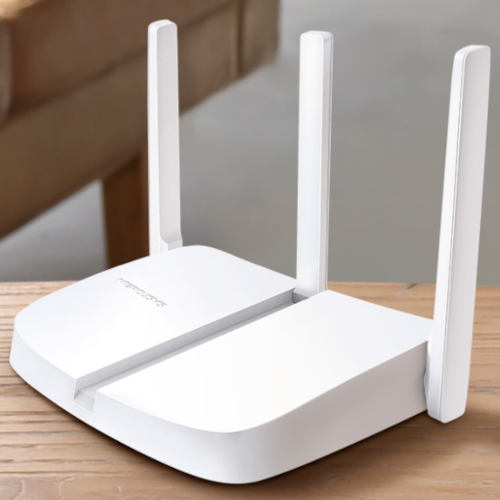
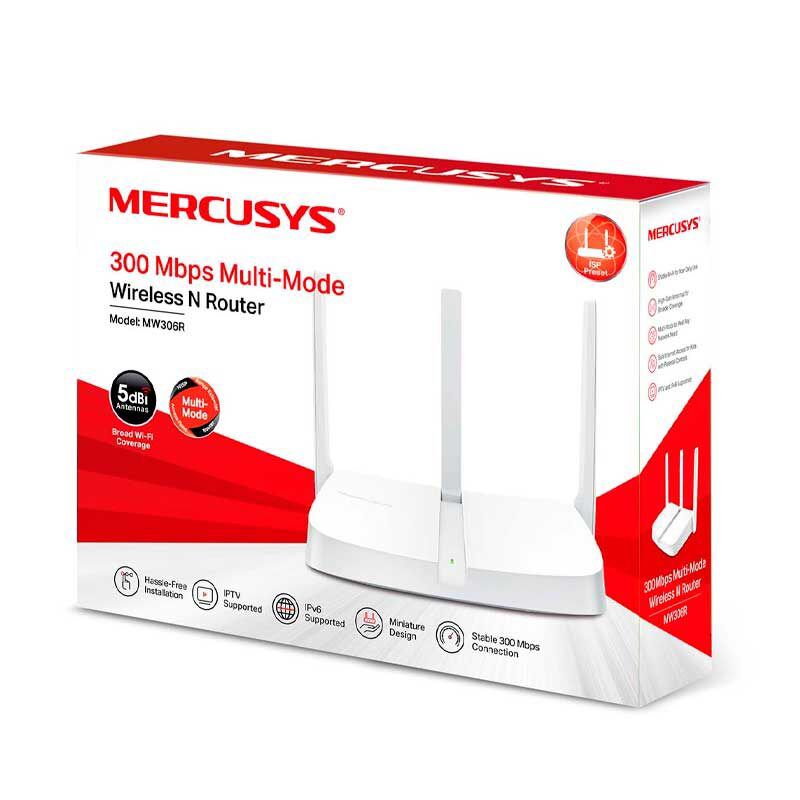
Fast, flexible, and feature-rich — reliable WiFi for your everyday life. The Mercusys MW306R is a versatile 300Mbps wireless router packed with smart features that go far beyond basic connectivity. With four operating modes, three high-gain external antennas, active parental controls, IPTV support, and IPv6 compatibility — it’s the perfect affordable networking solution for homes, apartments, and small offices across Bangladesh.
🚀 Key Features
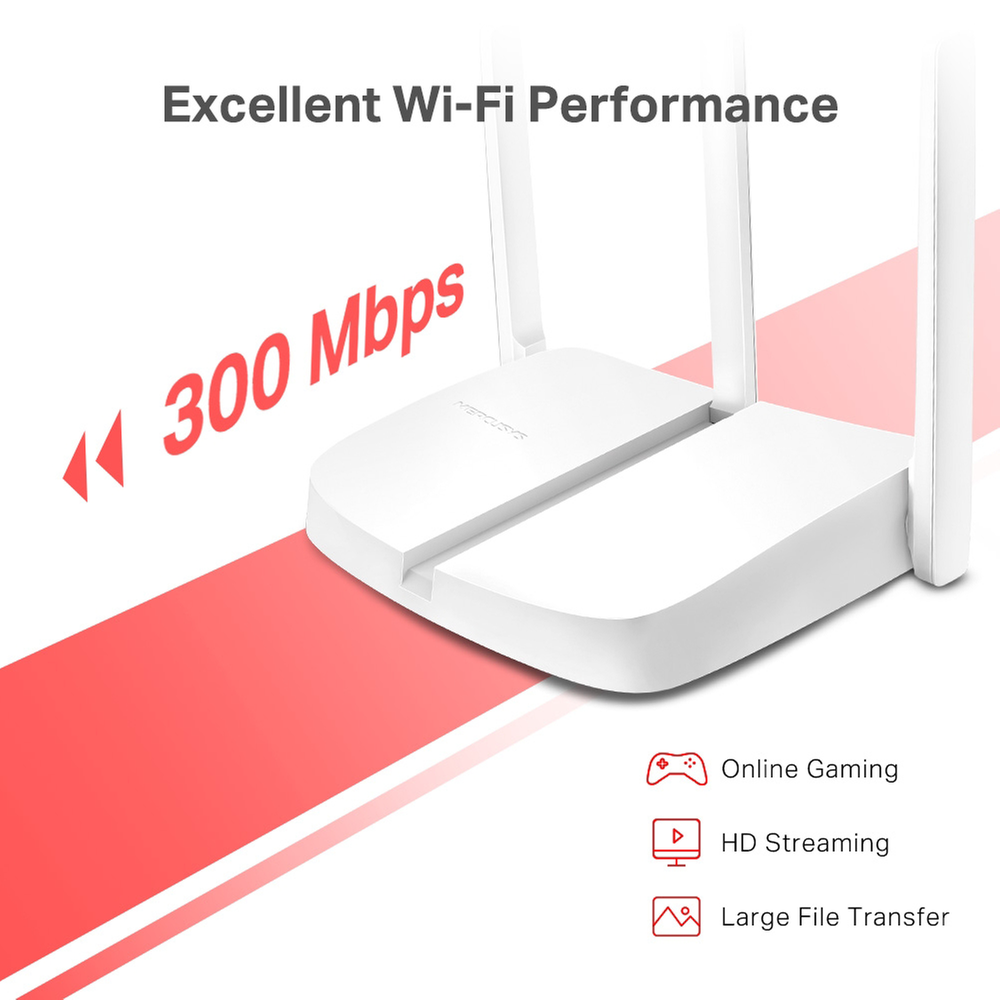
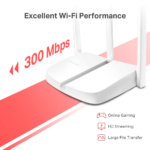
300Mbps Wireless Speed — Smooth Daily Connectivity: Operating on the 2.4GHz band with IEEE 802.11b/g/n standards, the MW306R delivers speeds up to 300Mbps — fast enough for HD streaming, online gaming, video calls, and large-file downloads without frustrating interruptions.
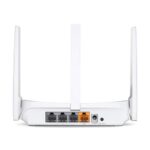
3 × 5 dBi High-Gain External Antennas — Wider, Stronger Coverage: Three powerful external 5 dBi antennas work together to boost reception and signal sensitivity — extending reliable WiFi coverage to every room, corner, and floor of your home or office, including hard-to-reach spots that single-antenna routers can’t serve.
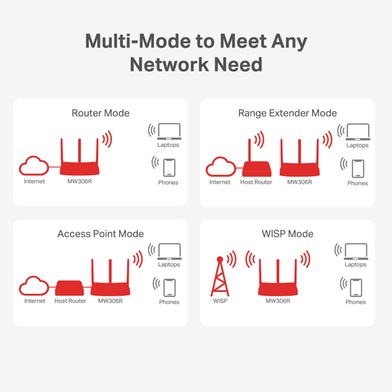
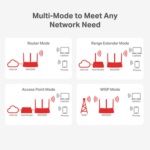
4-in-1 Multi-Mode — One Device for Every Scenario: Supports four operating modes — Router, Range Extender, Access Point, and WISP — giving you maximum flexibility to use the MW306R in virtually any network setup without needing to buy additional devices.
Active Parental Controls — Safe Internet for Your Family: Set time schedules and restrict access to inappropriate websites for specific devices — giving parents and office managers full control over when and how the internet is used, ensuring a safer online environment for children and staff.
IPTV Supported — Smooth Streaming Experience: Supports IGMP Proxy/Snooping, Bridge, and Tag VLAN to optimize IPTV streaming — delivering a superior, buffer-free online entertainment experience for households using IPTV services in Bangladesh.
IPv6 Compatible — Future-Proof Networking: Fully compatible with IPv6 — allowing you to enjoy next-generation internet services provided by your ISP with better safety, performance, and future-proof connectivity as Bangladesh’s internet infrastructure continues to evolve.
Guest Network & QoS — Smart Network Management: Create a separate Guest Network to share WiFi without exposing your main network. QoS (Quality of Service) prioritizes bandwidth for specific devices — so your smart TV, gaming console, or work laptop always gets the performance it needs.
Easy Setup via Mercusys App & Web Interface: Get online in minutes through the intuitive web interface at mwlogin.net or the Mercusys app on Android and iOS. Manage WiFi settings, parental controls, guest networks, and firmware updates directly from your smartphone — anytime, anywhere.
🛠️ Technical Specifications
- Brand: Mercusys (by TP-Link)
- Model: MW306R
- WiFi Standard: IEEE 802.11n / 802.11g / 802.11b
- Wireless Speed: Up to 300Mbps (2.4GHz)
- Frequency: 2.4GHz (2.4–2.5GHz)
- Antennas: 3 × External 5 dBi High-Gain Antennas
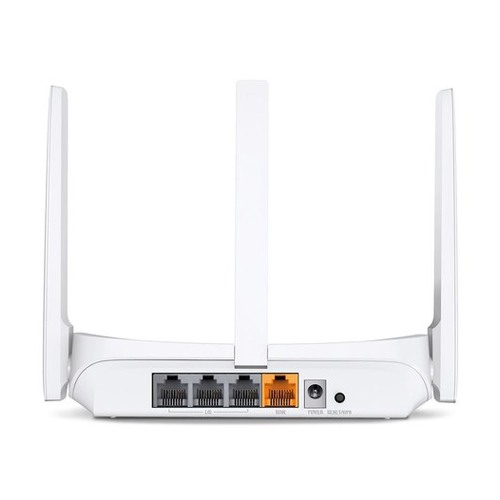
- WAN Port: 1 × 10/100Mbps WAN Port
- LAN Ports: 3 × 10/100Mbps LAN Ports
- Operating Modes: Router · Range Extender · Access Point · WISP
- Wireless Security: WPA/WPA2 · WPA-PSK/WPA2-PSK
- Guest Network: Supported
- Parental Controls: Active — URL filtering & time schedule
- QoS: Supported — device priority bandwidth management
- IPTV: IGMP Proxy/Snooping · Bridge · Tag VLAN
- IPv6: Supported
- WiFi Schedule: LED off timer & WiFi on/off schedule
- Management: Mercusys App (Android & iOS) · Web Interface (mwlogin.net)
- Power Supply: 5V / 0.6A
- Dimensions: 148 × 110 × 34 mm
- Color: White
📦 What’s in the Box?
✅ Mercusys MW306R Wireless N Router
✅ Power Adapter
✅ RJ45 Ethernet Cable
✅ Quick Installation Guide
🚚 Delivery Information
Dhaka: Within 24–48 hours
Outside Dhaka: 2–4 working days
✅ Why Buy from Rapizona?
100% Original: Guaranteed authentic Mercusys product.
1-Year Official Warranty: Full manufacturer warranty coverage from Mercusys.
Secure Shopping: Cash on Delivery (COD) and secure digital payment options available.
আমাদের ওয়েবসাইট থেকে পণ্য অর্ডার করা খুবই সহজ। এখানে ধাপে ধাপে নির্দেশনা দেওয়া হলো:
১. মেনু বা সার্চ বক্স ব্যবহার করুন: হোম পেজে বা মেনু বার থেকে আপনি 'Shop' বা 'Products' বিভাগে যেতে পারেন। আপনি যদি নির্দিষ্ট পণ্য খুঁজে পেতে চান তবে সার্চ বক্স ব্যবহার করতে পারেন।
২. পণ্য নির্বাচন করুন: প্রয়োজনীয় পণ্যের উপর ক্লিক করুন। এতে আপনি পণ্যের বিস্তারিত দেখতে পাবেন, যেমন মূল্য, বৈশিষ্ট্য, ওয়্যারেন্টি ইত্যাদি।
৩. পণ্যের পরিমাণ নির্বাচন করুন: পণ্যের পরিমাণ বা ভ্যারিয়েন্ট (যেমন সাইজ, রঙ ইত্যাদি) নির্বাচন করুন যদি এটি প্রয়োজনীয় হয়।
৪. কার্টে যোগ করুন: 'Add to Cart' বা 'Buy Now' বাটনে ক্লিক করুন। এটি আপনার নির্বাচিত পণ্যকে শপিং কার্টে যুক্ত করবে।
৫. কার্ট চেক করুন: শপিং কার্ট আইকনে ক্লিক করে আপনি আপনার নির্বাচিত পণ্যের তালিকা দেখতে পাবেন। এখানে আপনি পরিমাণ পরিবর্তন বা পণ্য সরিয়ে ফেলতে পারেন।
৬. চেকআউট করুন: 'Proceed to Checkout' বা 'Checkout' বাটনে ক্লিক করুন। এখানে আপনাকে আপনার বিলিং তথ্য, শিপিং ঠিকানা এবং পেমেন্ট তথ্য প্রদান করতে হবে।
৭. পেমেন্ট সম্পন্ন করুন: পেমেন্ট অপশন নির্বাচন করুন (যেমন ক্যাশ অন ডেলিভারী, বিকাশ, নগদ, কার্ড প্রেমেন্ট ইত্যাদি) এবং আপনার পেমেন্ট তথ্য পূরণ করুন।
৮. ওয়েবসাইটে লগ ইন করুন: আপনি চাইলে আমাদের ওয়েবসাইট এ নতুন একাউন্ট করতে পারেন অথবা আপনার যদি আগে থেকে একাউন্ট থাকে সেটিতে লগইন করে নিতে পারেন। আপনি চাইলে একাউন্ট করা ছাড়াও অর্ডার করতে পারেন।
৯. অর্ডার নিশ্চিত করুন: সমস্ত তথ্য সঠিক হলে, 'Place Order' বা 'Confirm Order' বাটনে ক্লিক করুন। আপনার অর্ডার সফলভাবে সম্পন্ন হবে।
১০. অর্ডার কনফার্মেশন: অর্ডার সফলভাবে সম্পন্ন হলে আপনাকে একটি কনফার্মেশন ইমেল বা মেসেজ পাঠানো হবে। এই মেসেজে অর্ডারের বিস্তারিত ও ট্র্যাকিং তথ্য থাকবে।
এভাবেই আপনি আমাদের ওয়েবসাইট থেকে সহজেই পণ্য অর্ডার করতে পারবেন। কোন সমস্যা হলে ওয়েবসাইটের গ্রাহক সেবা দলের সাথে যোগাযোগ করুন।

 Action/Video Cameras
 IP Security Cameras
 CCTV Security Cameras
 Memory Cards
 Tripod & Monopods
 Holding Arm
 Routers
 Fan
Fan Router UPS
 AC Remote
 RGB Light
 Routers Stand
 Light
Light
 Power Bank
 Cables & Converters
 Charger
 Mobile Stand
 Smart Watches
 Headphones and Headset
 Bluetooth Speakers
 Microphones
 True Wireless Earbud
 Trimmers





Reviews
Clear filtersThere are no reviews yet.